






Top 10 Features in SharePoint 2019

- 1. Modern SharePoint Team Sites
- 2. Modern SharePoint Communication Sites
- 3. Modern Lists and Libraries
- 5. The SharePoint Home
- 6. Improved SharePoint Framework Support
- 7. OneDrive Synchronisation with the new OneDrive client
- 8. Improved Hybrid app launcher
- 9. PowerApps and Flow integration
- 10. Power BI Report Server Integration
Contents
- 1. Modern SharePoint Team Sites
- 2. Modern SharePoint Communication Sites
- 3. Modern Lists and Libraries
- 5. The SharePoint Home
- 6. Improved SharePoint Framework Support
- 7. OneDrive Synchronisation with the new OneDrive client
- 8. Improved Hybrid app launcher
- 9. PowerApps and Flow integration
- 10. Power BI Report Server Integration
While most announcements today are about the cloud, there are still quite a few enterprises that are using on-premises systems. This year, we will see the next generation of Office servers such as SharePoint, Exchange and Skype for Business hit general availability and, hopefully bring the last three years of innovation from the cloud to the data center. Let’s take a deep dive into the exciting features that made it in SharePoint 2019.
Mode
SharePoint Experiences
After being used by millions of users in Office 365, the most significant evolution to SharePoint in recent years has finally made it on-premises. Mode
SharePoint Experiences include Mode
SharePoint Team Sites and Communication sites, as well as the new experience in both lists and document libraries. Let’s take a more in-depth look at each one of those experiences.
Image Source: Microsoft image 1
2. Modern SharePoint Communication Sites
The next pillar of mode
SharePoint experiences is mode
communication sites. Communication sites are sites that are mainly used to share news, policies, and information to the users that are included. SharePoint Server 2019 includes three different templates of communication sites: Blank, Topic, and Showcase. You can view a mode
communication site in the Figure below.
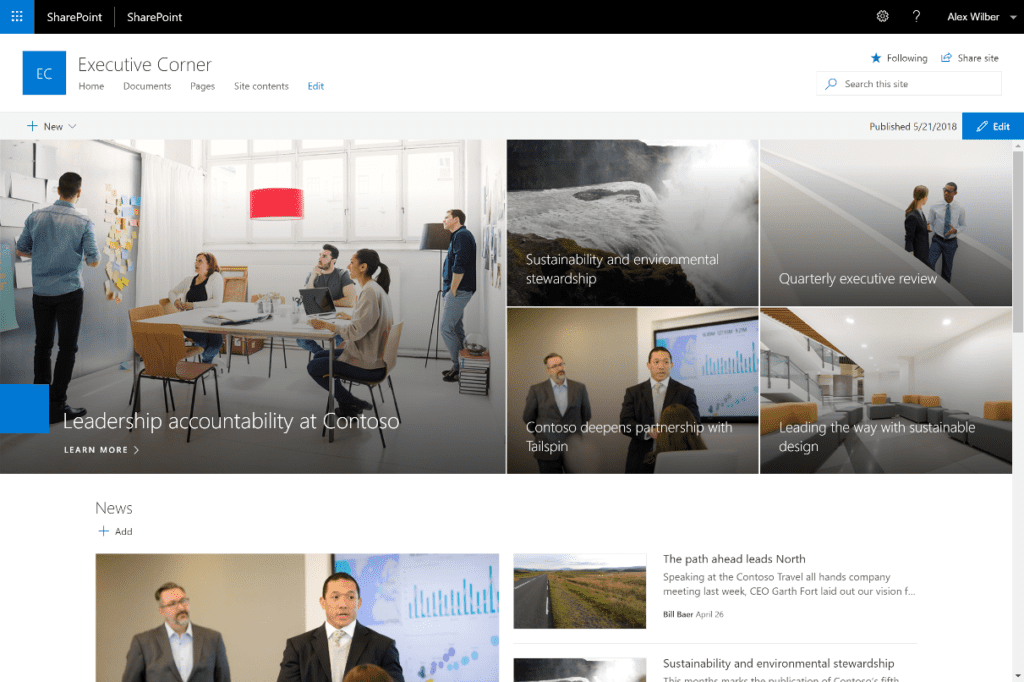
Image Source: Microsoft image 2
3. Modern Lists and Libraries
Digging deeper into our sites, SharePoint Server 2019 also brings support for mode
SharePoint lists and libraries. Mode
SharePoint Libraries, seen in the Figure below, allows users to quickly view information about their documents, including permissions and metadata. Another useful Office 365 feature brought over to SharePoint 2019 are the “Move To” and “Copy To” actions, allowing users to quickly change the location of a document to a more appropriate one.
Image Source: Microsoft image 3
Mode
SharePoint lists in SharePoint 2019 also include the conditional formatting feature seen in the Figure below. Conditional Formatting allows Power Users to configure different display rules for specific columns, to quickly view the status of that item.
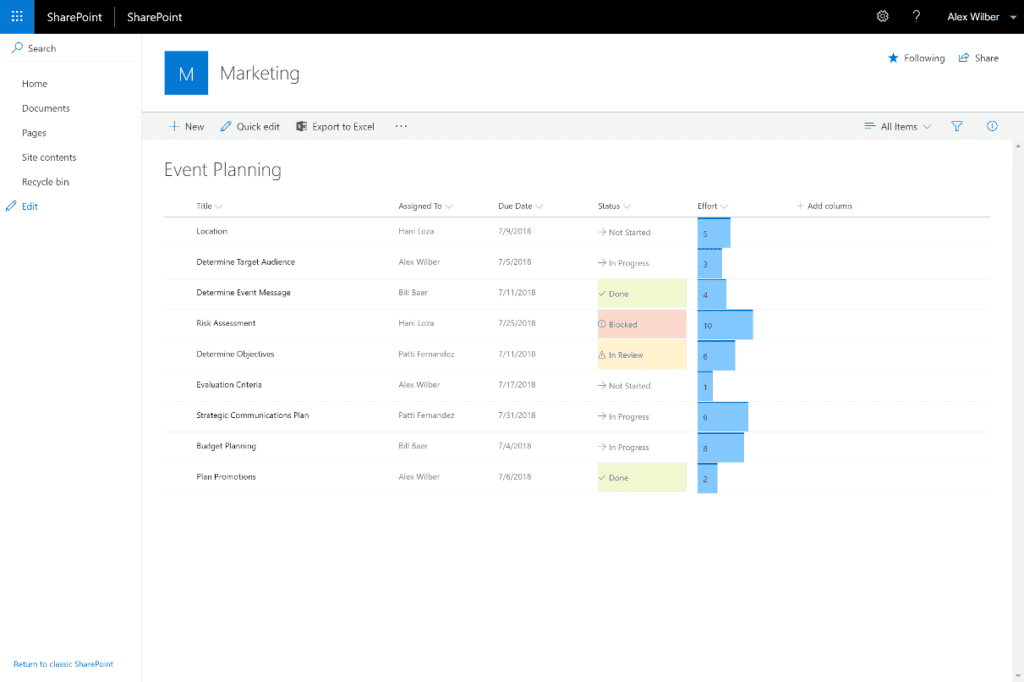
Image Source: Microsoft image 4
The last piece of mode
SharePoint to make it On-Premises in SharePoint Server 2019 is Mode
Search. The mode
search experience, seen in the Figure below makes it easier for users to find documents, list items and people inside the SharePoint environment.
Image Source: Microsoft image 5
5. The SharePoint Home
Our next new significant feature in SharePoint On-Premises is the SharePoint Home. The SharePoint Home, seen below, brings all the news from Team Sites and Communication sites together in a single location. All the sites you follow are also brought together, including activity from each site, and quick access to your favorite sites.
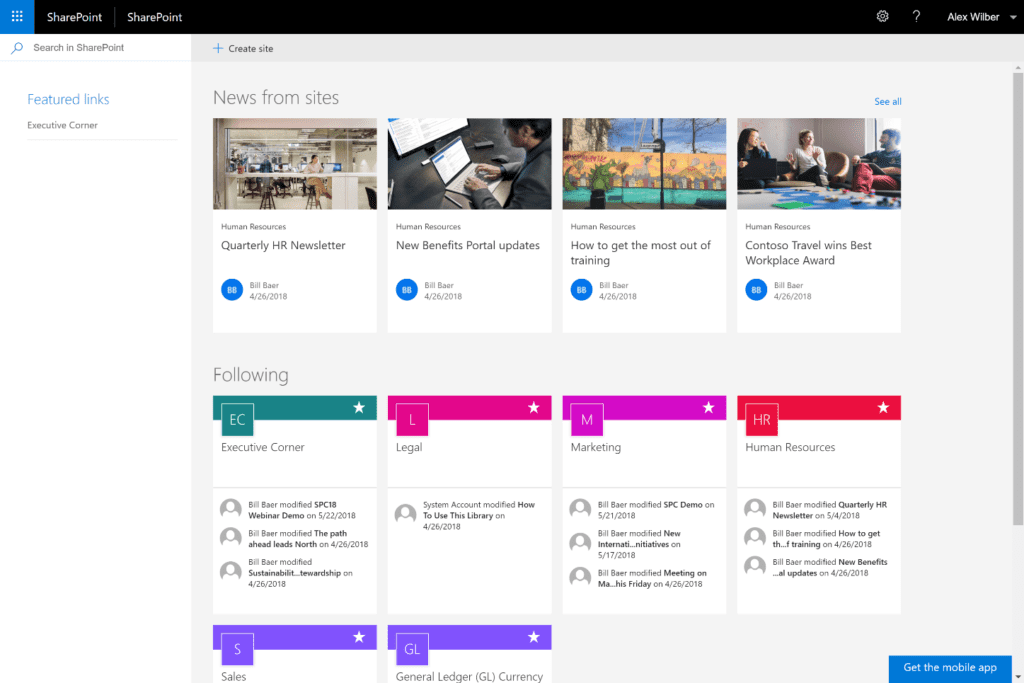
Image Source: Microsoft image 6
7. OneDrive Synchronisation with the new OneDrive client
SharePoint Server 2019 allows organisations to run on-premises SharePoint to profit from the latest improvements in OneDrive and Windows 10. SharePoint 2019 works with the latest version of OneDrive, also known as Next Generation Sync Client (NGSC) and supports the latest innovations in windows such as Files on Demand.
8. Improved Hybrid app launcher
The Hybrid App launcher in SharePoint 2019 is more aligned with the one in Office 365 , allowing users to have an even more seamless experience between their On-Premises and Online environments in a hybrid mode.
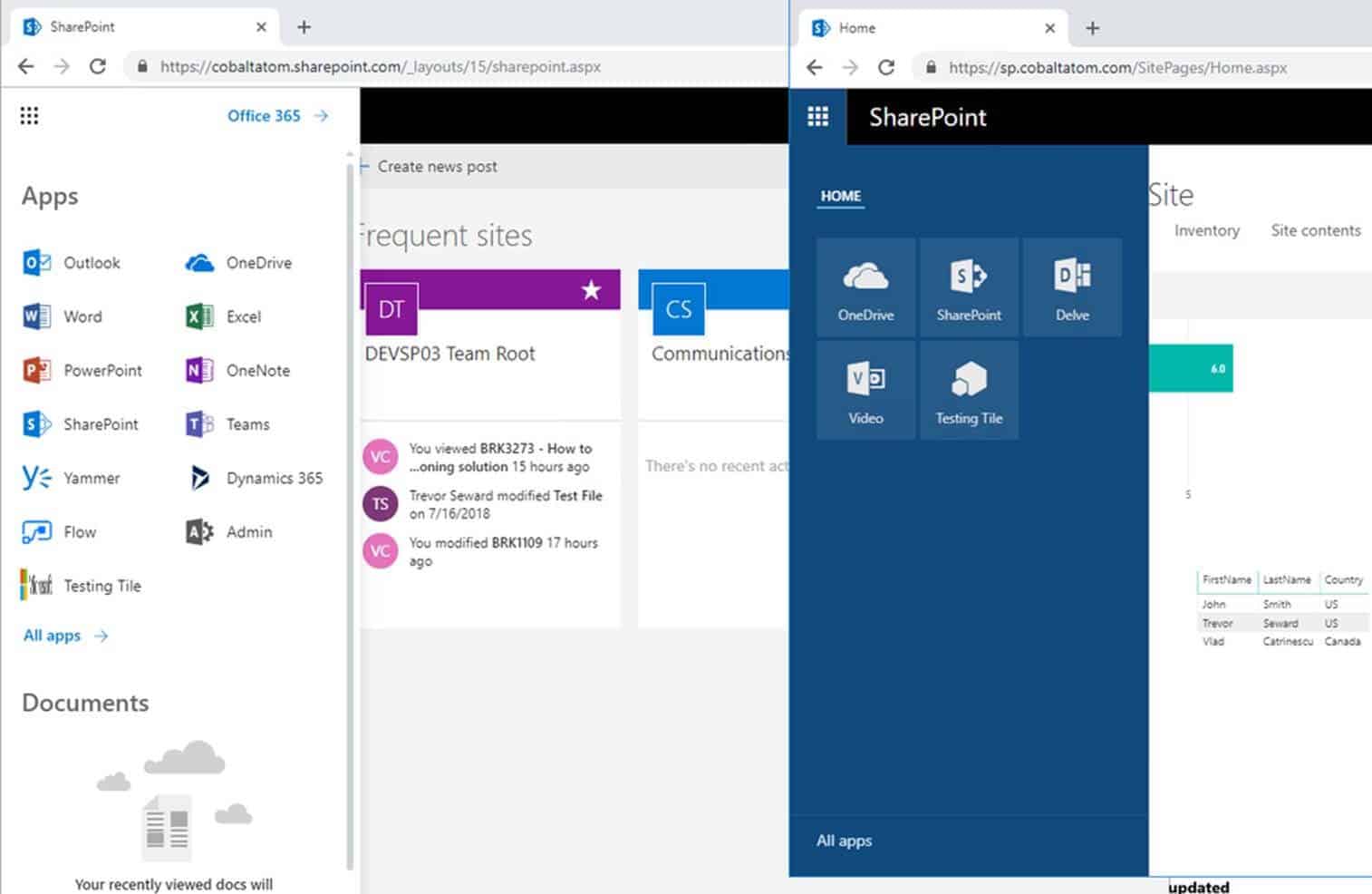
Image source Microsoft image 7
9. PowerApps and Flow integration
With InfoPath and SharePoint Designer both being deprecated in SharePoint, users might want to look elsewhere for new projects requiring custom workflows and forms. While, InfoPath and SharePoint Designer are still supported on-premises until 2026 and are the only available option for organisations that are 100% on-premises, there is a better option for organisations in a hybrid environment.
By leveraging the on-premises data gateway, organisations will now be able to use Flow, PowerApps and Power BI in Office 365, even on their on-premises content. This will not only allow users to have a friendlier Business Process Automation creation process, but it will also allow organisations to create on a supported platform that gets new features every week. While this feature was also technically available in SharePoint Server 2016, in SharePoint 2019 it provides a better integration with Mode
SharePoint Sites.
10. Power BI Report Server Integration
With the release of SharePoint 2019, quite a few Business Intelligence features that we’re used to got deprecated or removed from the product. However, we can now use Power BI Report Server, which is the version of Power BI for On-Premises to create stunning reports, and easily display them in SharePoint Server 2019.
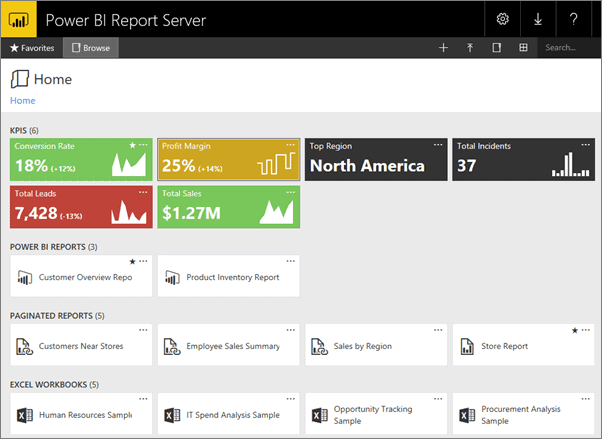
Image Source: Microsoft image 8
As you can see from the ten previous features, the most exciting features that were released in SharePoint Online did make it to On-premises in SharePoint Server 2019. While some of the most recent features such as Site Designs and Hub Sites did not make the cut, I think that this feature brings a lot more excitement for business users to migrate to SharePoint 2019 to leverage the easy to use mode
SharePoint in their On-Premises environment.
Check out this article and more articles from top columnists and speakers including Jeff Teper in the ESPC18 magazine- download for free here.
Tags
trending posts


