








How to Open a Specific Item’s Edit Form in SharePoint Document Library Using URL Redirection

Contents
In SharePoint, you may want to provide users with direct access to the edit form of a particular item in a document library or list. Instead of manually navigating to the item and clicking edit, you can create a URL that redirects users straight to the edit form of the desired item.
Why Use URL Redirection for Edit Forms?
There are several scenarios where redirecting users to the item’s edit form can be useful:
Streamlined Workflows: When users need to frequently update metadata or document properties.
Task Automation: Automating the redirection for approval or review workflows.
User Convenience: Reducing the number of clicks needed to access important information.
Step-by-Step Guide to Creating Direct Links for Different Forms
1. Get the Item ID
Each document or item in a SharePoint document library has a unique ID, which you’ll need for opening the edit or display form.
2. Construct the URL
Here’s the general format of the URL for different forms:
https://[Your SharePoint SiteURL]/_layouts/15/listform.aspx?PageType=[Type]&ListId=[ListGUID]&ID=[Item ID]
Replace [Type] with the appropriate PageType value:
- For edit form (PageType=6)
- For display form (PageType=4)
- For new item form (PageType=8)
3. Retrieve the List GUID
To find the List GUID:
- Go to the document library or list.
- Click on “Library Settings” or “List Settings.”
- The URL in your browser will contain List= followed by the GUID.
4. Example URLs
Here’s how the URLs would look for different forms:
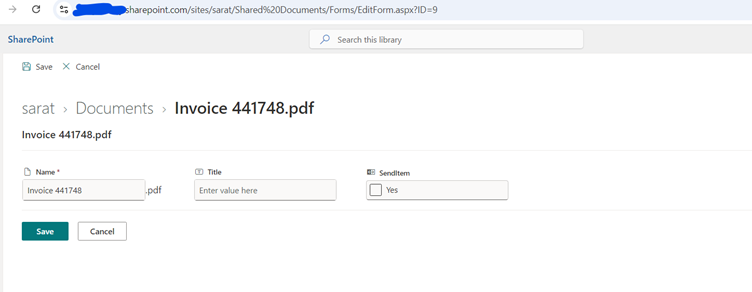
Edit Form (PageType=6): EditForm.aspx
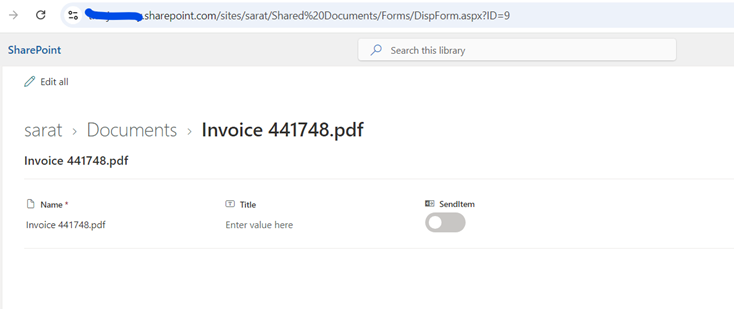
Display Form (PageType=4): DispForm.aspx
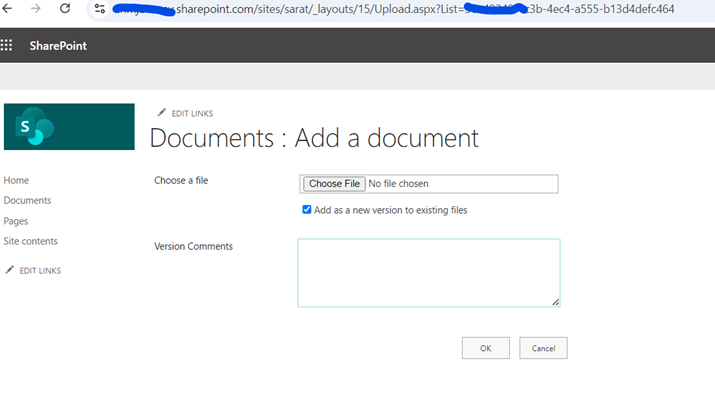
New Item Form(PageType=8): Upload.aspx
5. Use the URL in Hyperlinks or Buttons
You can now embed these URLs in emails, buttons, or dashboard links. Depending on the PageType value, users will be taken directly to the edit, display, or new item form.
6. Key Considerations
- Permissions: Ensure users have the necessary permissions to view or edit the forms.
- Security: Avoid exposing sensitive data in the URL, and make sure permissions are correctly set.
- User Experience: Consider the user flow after opening the forms (e.g., redirection after submission).
About the Author:

Sarat Chandra Lohar
I am currently working as a SharePoint Developer, having knowledge of Microsoft365 || SharePoint ||SPFx || Power Automate ||Power Apps || React Js || JavaScript || HTML5 || CSS3 || SDLC.
Reference:
Lohar, S (2024). How to Open a Specific Item’s Edit Form in SharePoint Document Library Using URL Redirection. Available at: Mastering SharePoint: Effortlessly Open Document Edit Forms with URL Magic (sharepointdesigns.com) [Accessed: 26th September 2024].
Tags
trending posts


