








Build on Power Platform faster with the Power Apps Component Framework (PCF)

The Power Apps Component Framework (PCF) increases versatility of building on the Power Platform. It allows developers to create custom controls that can be used in Power Apps, Dynamics 365, and other Power Platform applications. PCF controls provide functionality that goes beyond the out-of-the-box controls available in Power Apps.
PCF controls are made by and for consultants, developers, and solution architects—who craft model-driven apps for their clients in low-code / no-code.
Code components allow app makers to add a wide range of functionality to their apps immediately without needing to wait for and budget for custom code from developers.
This makes project delivery more efficient, letting app makers digitize processes quickly and be more productive.
There is a variety of free PCF controls available for download, but we at Resco were missing a comprehensive, safe, well-maintained library. We have created Resco Power Components and now we are adding them to our product portoflio so that all app makers can take advantage of it.
What are Resco Power Components?
Power Components are code components (PCF controls) that give app makers the ability to extend and customize applications built on Power Platform. They are downloaded once as a solution, installed in an app maker’s environment, and can be deployed across various projects.
First batch based on popular demand
Based on popular demand, we have selected the first batch of essential tools – an image gallery, Kanban Board, video player, signature area, multi-select dropdown list, and a calendar picker.
The Resco Power Components are customizable, meaning that app makers will be able to use them for more than one use case. Instead of having to code components in JS from scratch, app makers will be able to use our components and configure them as they need to without needing to code. Using the configuration section doesn’t require code knowledge.
Each code component can be used for different business use cases. For example, you can use the Kanban board for managing tasks or to build a sales funnel – depending on the data you map it on.
Working with a well-managed library of code components takes care of security conce
s as well as maintenance issues. We plan to develop the components continuously, extending their features where needed and adding more components to the library.
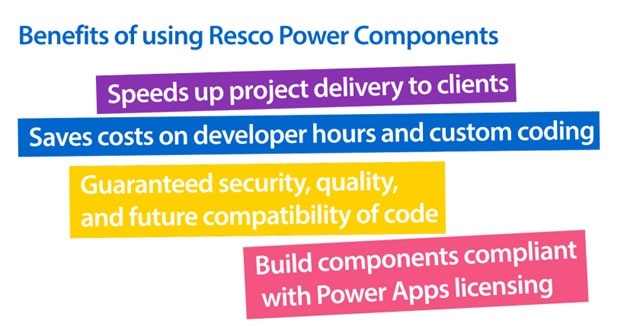
Benefits of using Resco Power Components:
- Speed up project delivery to clients
- Save costs on developer hours and custom coding
- Guarantee security, quality, and future compatibility of code
- Build components compliant with Power Apps licensing
For more information, visit us at the Resco booth at the European Power Platform Conference 2024 or contact us at sales@resco.net.
About Resco:
Resco helps the world work better outside the office by making it simple to build complex mobile experiences for frontline workers.
Over 800 enterprise and corporate companies from segments like utilities, retail, energy, oil & gas, manufacturing, telecommunications, transportation & logistics, or NGOs rely on Resco to simplify their frontline operations, improve efficiency, and reduce paperwork.


