






Attach a SharePoint Online site as a Microsoft Teams app to the Microsoft Teams navigation bar

Contents
This post describes how you can easily add a SharePoint Online site into Microsoft Teams as an app in the Teams navigation bar. There are several ways how you can achieve the result. Hereinafter, I describe an approach to create and use a SharePoint Online standalone app in Teams which is currently (Jan 2021) still in preview and might be subject to change at any time.

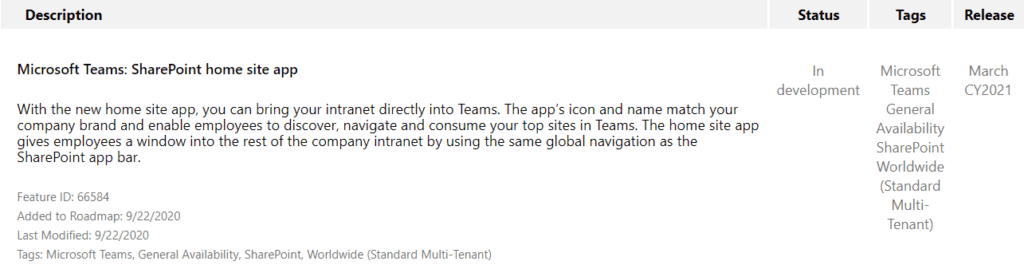
Microsoft also announced in fall 2020 that there will be more integrated app for a SharePoint Online Intranet in Microsoft Teams, which is called SharePoint home site app. This is planned to be released in March 2021 as the current Microsoft 365 roadmap states. For details on this, please also see the links at the bottom of this post.
Goal
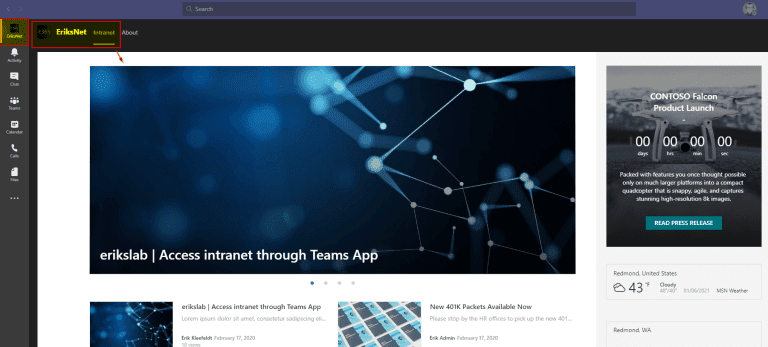
You might want to enable employees using Microsoft Teams with easier access to a certain SharePoint Online site, for instance, your company’s intranet. Furthermore, you might want that the most important information can be found directly in Microsoft Teams without leaving. So, there won’t be any need to open the a separat web browser to access your intranet site. In this article you can read and see how this could look like.
Microsoft Teams on Windows – SharePoint Online site in Microsoft Teams navigation
Microsoft Teams on iOS- SharePoint Online site in Microsoft Teams navigation

Requirements
First of all, are there requirements to make this work? Yes, there are. Basically, you might have to configure settings that allow apps in your tenant and Teams (org-wide app settings, permission policies, setup policies). This depends on your configuration as-is. Furthermore, this works only with mode
SharePoint site or page (in SharePoint Online). Plus it’s in preview (Jan 2021). Mobile support is developer preview as the documentation states.
How to create a Microsoft Teams SharePoint Online standalone app Steps (example)
In this section l described what steps are required and guide you through with some screenshots.
- Go to your target SharePoint Online site or page you want to add
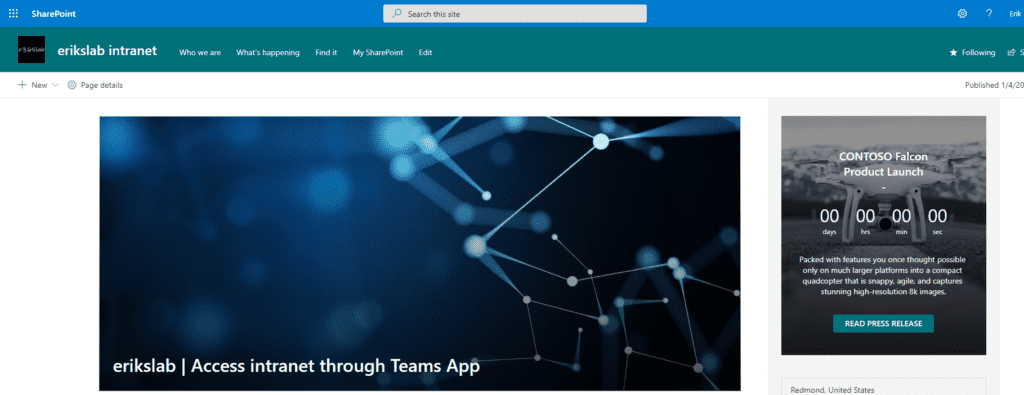
- Copy the URL somewhere so that you can use it as needed later on
- Install Teams App Studio (if not installed) via the Teams App Store
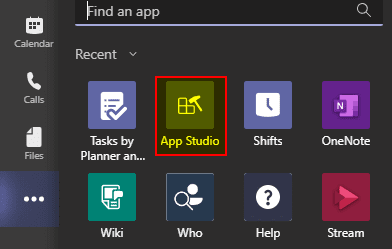
- Open App Studio in Teams
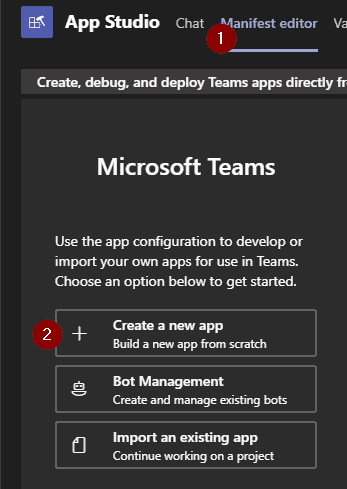
- Go to the Manifest editor
- Create a new app
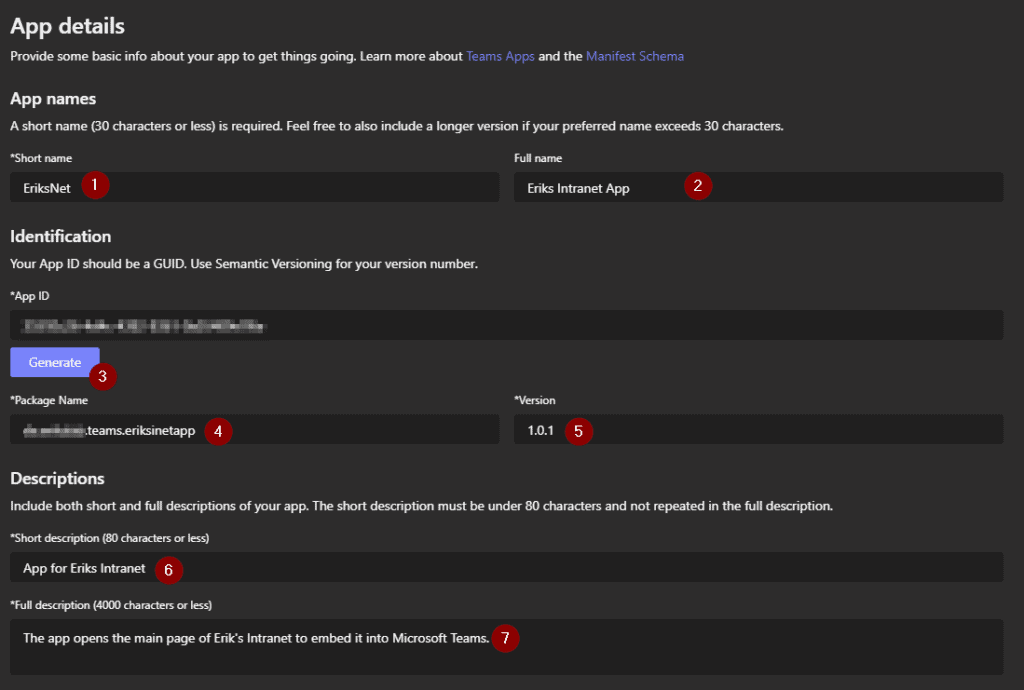
- Fill out the app details, e.g. App name, description …
- Generate a App ID by clicking the button “Generate”
- Enter an unique package name like com.domain.teams.apptestxyz
- Enter a version number
- Complete the description area
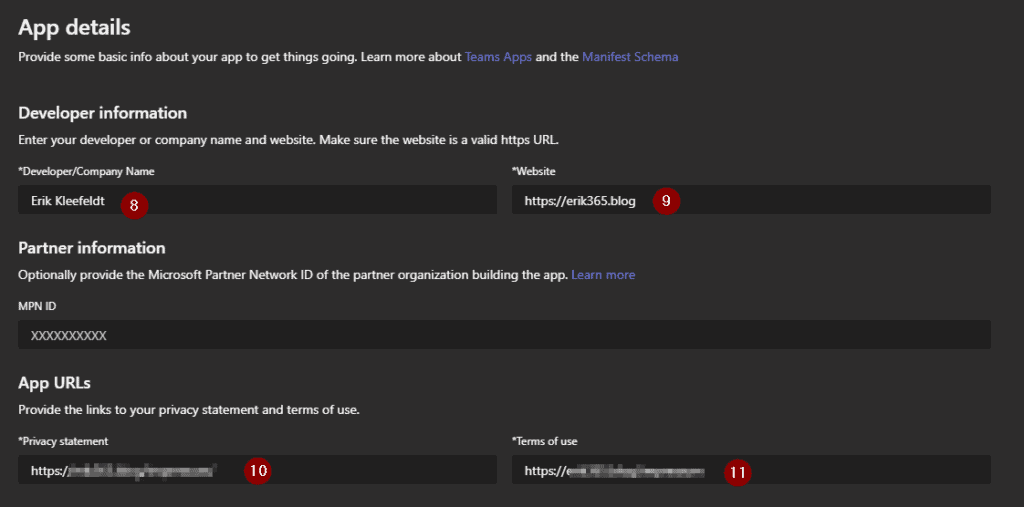
- Fill out the developer information
- Fill out the app URLs
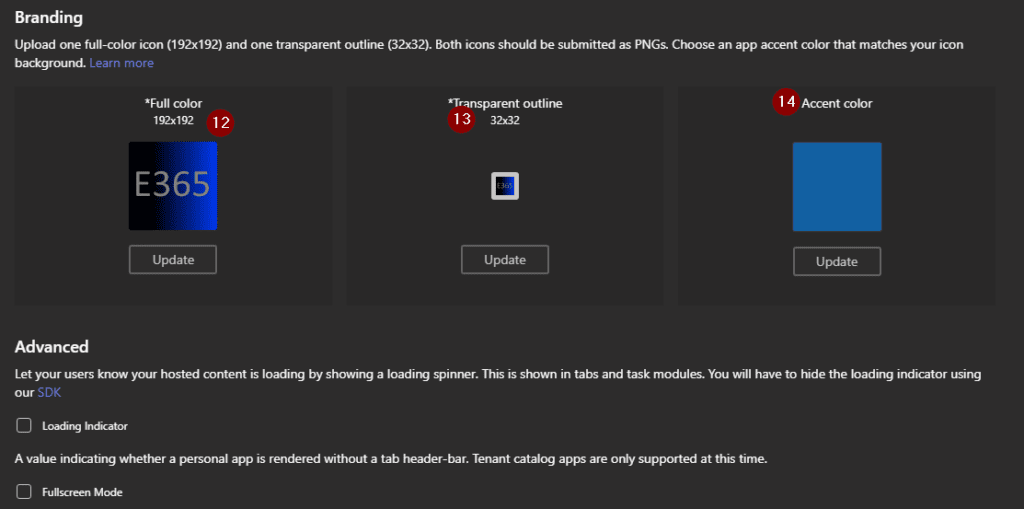
- Customize the app icon (optional)
- Go ahead to “Tabs” on the left
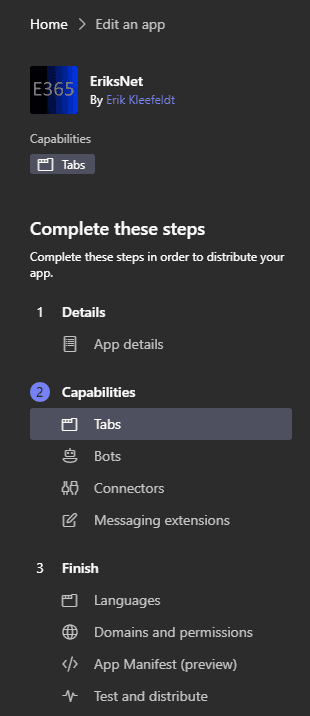
- Add a personal tab

- Fill out the personal tab details, e.g. Name
- Enter a unique entity ID, I go with the creation date in this case. If you create more personal tabs you might want to append the time e.g. 202012280930.

- Use and prepare the earlier copied SharePoint Online site or page URL
The content URL must look like this, for example: https://<yourtenant-unique-anem>.sharepoint.com/_layouts/15/teamslogon.aspx?SPFX=true&dest=/sites/erikslabintranet/SitePages/Home.aspx
Alte
atively, you can also use a syntax as described in the documentation, e.g. https://contoso.sharepoint.com/sites/ContosoHub/_layouts/15/teamslogon.aspx?SPFX=true&dest=/sites/ContosoHub even if this is a hub site as I tested this it only showed the primary page and not the hub pages as such with it’s SharePoint hub site navigation.
- If your are done with adding personal tabs, go to domains and permissions
- Check that your SharePoint Online root URL is listed in “Domains from your tabs”
- Configure SSO with AAD
- Enter the static AAD App ID 00000003-0000-0ff1-ce00-000000000000
- Enter the SSO URL for your SharePoint Online root URL

- Go to test and distribute in the left hand navigation bar
- Install the app in your Teams client for your user to test it


- Pin the app to your Teams navigation for testing

- After successful tests you can download and/or publish the app for Teams.
- If you download the app you get a zip-file and/or can upload it via the Teams Admin center or in the Teams Client in the apps space. Depending on your permissions/configuration.

Deploy the app to targeted users
Finally, you can rollout the app to users via the Teams Admin Center.
- Go to the manage apps section
- Check if your app is available (upload the zip or permit the submitted/uploaded custom app)
Please note, that publishing (see prevouse steps “test and distrbute” and submitting an app might take some time to complete. In my case it took (very) long.

Now, that there is the app you can configure a setup policy to assign the app to the Microsoft Teams navigation.
- Create a new custom setup policy or use an existing setup policy
- Add your app to be pinned in the Microsoft Teams navigation bar for users who’ll get the setup policy assigned


That’s it. You’ve now have deployed a standalone SharePoint Online app to Microsoft Teams.
Conclusion, opinion and summary
The described configuration is straightforward and easy to implement. As mentioned at the start, it’s just one approach which can be used.
What I discovered during my tests is that I was unable to directly use the SharePoint Online root site which did not work for me as I tested it. Also, I could not find a way with this method to fully integrate a hub site with its “native” SharePoint Online Hub Site navigation. Maybe this is possible but as far as I tested it, it did not work the way I tried it.
In my opinion, to attach a SharePoint Online site or several sites as a tab to the Microsoft Teams navigation bar is easy and suited as-is for fewer SharePoint Online sites with no need of a more complex navigation. For more sophisticated SharePoint Online sites you might need to use another option to integrate your SharePoint Online Intranet to Microsoft Teams, e.g. Power Apps. Or you might wait some more time until you can test the SharePoint Home Site App which might be available after March 2021.
UPDATE May 2021
The SharePoint Home Site App is called Viva Connections. For more details please read a more recent blog post What’s the new Microsoft Viva Employee Experience Platform? It explains what Viva is and what modules there are.

As you can see Viva Connections enables you to implement your SharePoint Online Home Site including its own navigation. At the time of writing this blog I could not yet enable the global navigation for the SharePoint Online Home Site because of a missing dependency “App Bar” which is plan for end of May 2021, as the Microsoft 365 roadmap states on May 15, 2021.

Dependencies as of May 15, 2021


Additional resources
- in Microsoft Teams as personal apps (preview)
- Create a Teams ‘Intranet Portal app’ from a SharePoint Online site or page
- The home site app for Microsoft Teams
- Innovations for workplace communications and employee engagement in Microsoft 365
- Microsoft 365 Roadmap Microsoft Teams: SharePoint home site app Feature ID 66584
- Embedding mode
SharePoint pages
- What’s the new Microsoft Viva Employee Experience Platform? – erik’s blog (erik365.blog) [UPDATE]
- Microsoft 365 Roadmap | Microsoft 365 [Feature ID: 66584]
- Microsoft 365 admin center – Message center [MC244743]
- (Updated) Introducing a SharePoint app bar that features global navigation [MC240066]
- Microsoft 365 Roadmap | Microsoft 365 [Feature ID: 70576]
This blog is part of SharePoint Week. For more great content, click here
About the Author:
I’m Senior Technology Consultant @abtis focusing on delivering communication and collaboration services. My goal is to enable companies and their users for a mode
workplace to achieve more. For this purpose I focus mainly on Microsoft 365 and Microsoft Teams. I’ve been working in several areas in IT for more than 12 years by now.
Reference:
Kleefeldt, E. (2021). Attach a SharePoint Online site as a Microsoft Teams app to the Microsoft Teams navigation bar. Available at: https://erik365.blog/2021/01/07/attach-a-sharepoint-online-site-as-a-microsoft-teams-app-to-the-microsoft-teams-navigation-bar/ [Accessed: 13th September 2021].


